 Commandix
Commandix guide
Today and Daily Focus
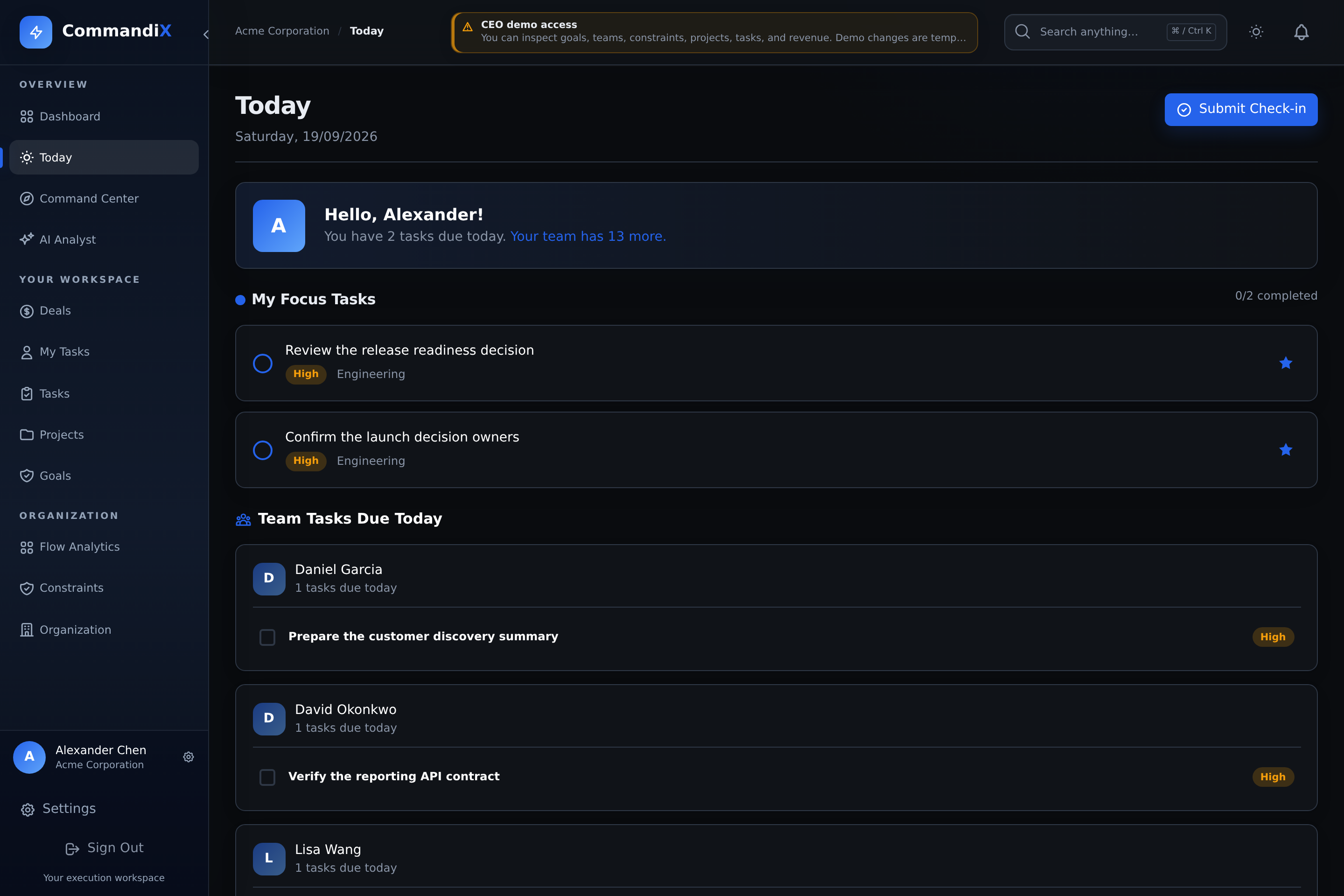
Today turns the full system into a daily execution list. It separates your focus tasks from the rest of your assigned work and, for managers, shows team work due today.
Last reviewed September 19, 2026
View this screen in Commandix
 Enlarge
How focus tasks work
- Open Today from the sidebar.
- Review tasks due today and any tasks marked as focus.
- Use the focus toggle to add or remove a task from your daily focus set.
- Update status directly from the task row when work starts or finishes.
- Select Submit Check-in when focus tasks need a daily status record. This button appears when you have at least one focus task.
Daily check-ins
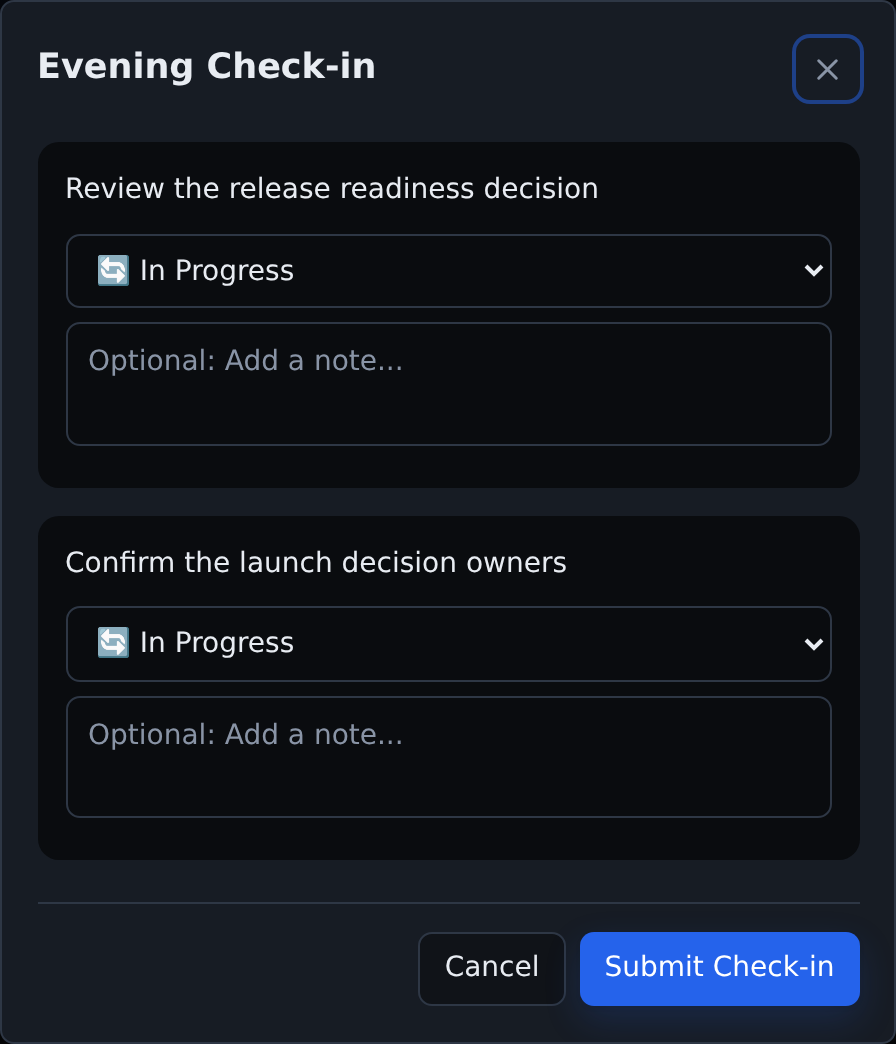
Check-ins capture the status of focus tasks for the day. A check-in records each focus task, its status, and optional comments so managers can see progress without requiring a separate status meeting.
Review each task's status and add a short comment before selecting Submit Check-in in the dialog. Close the dialog without submitting if you only wanted to review it.
 Enlarge
Manager view
Managers may also see employee tasks due today grouped by assignee. Use that section to spot overloaded people, missed commitments, or work that needs reassignment.