 Commandix
Commandix guide
Goals
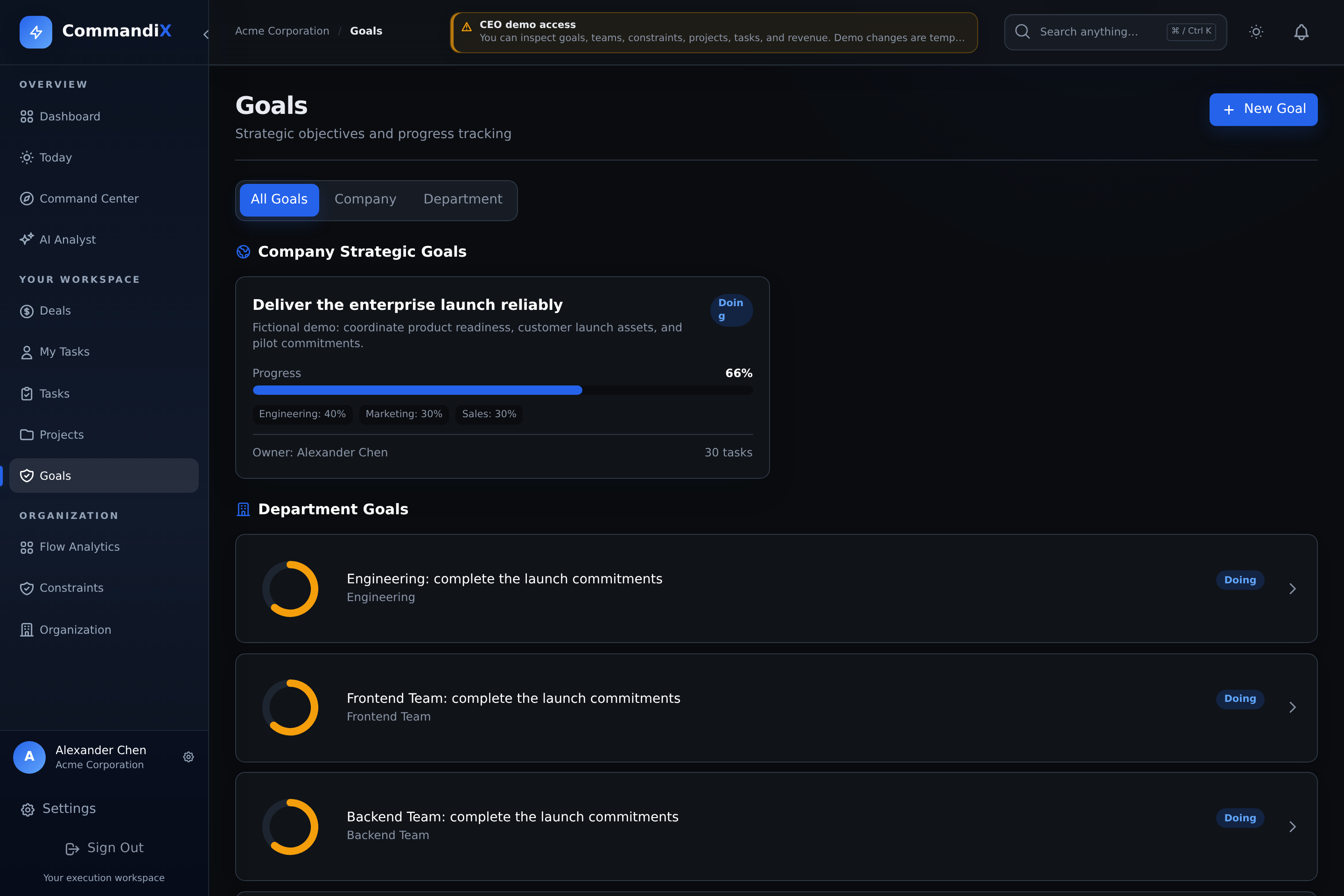
Connect company and department objectives to projects, tasks, and responsible people. Check the contributing work and the calculation used by each view before interpreting a progress percentage.
Last reviewed September 19, 2026
View this screen in Commandix
 Enlarge
How to create a goal
- Open Goals.
- As an organization Owner, select New Goal. The Goals screen's creation controls require the Owner role.
- Enter title and optional description.
- Set start and end dates.
- Choose whether the goal is global/company-wide or department-specific.
- Add assignments if responsibility should be split across units or individuals.
- Make sure assignment weights total 100%.
- Create the goal, then link projects or tasks to it.
Goal options reference
| Option | Values | Use it when |
|---|---|---|
| Title | Required text | The goal needs a clear business outcome. |
| Description | Optional text | You need strategy notes, measurement definition, or scope. |
| Start date | Date | The goal has a beginning period. |
| End date | Date | The goal has a deadline or review window. |
| Global | On/off | The goal should appear as a company strategic goal rather than only unit-level. |
| Assignments | Units or users plus weights | Responsibility should be split across teams or individuals. |
| Status | PLANNED, ACTIVE, PAUSED, COMPLETED | You need strategic status and filtering. |
How goal progress is calculated
Progress is not calculated identically on every goal screen:
- Goals list: counts directly linked Done tasks against all directly linked tasks. A parent with child goals combines 30% of its own task completion with 70% of its children's average progress; without its own tasks it uses the children's average.
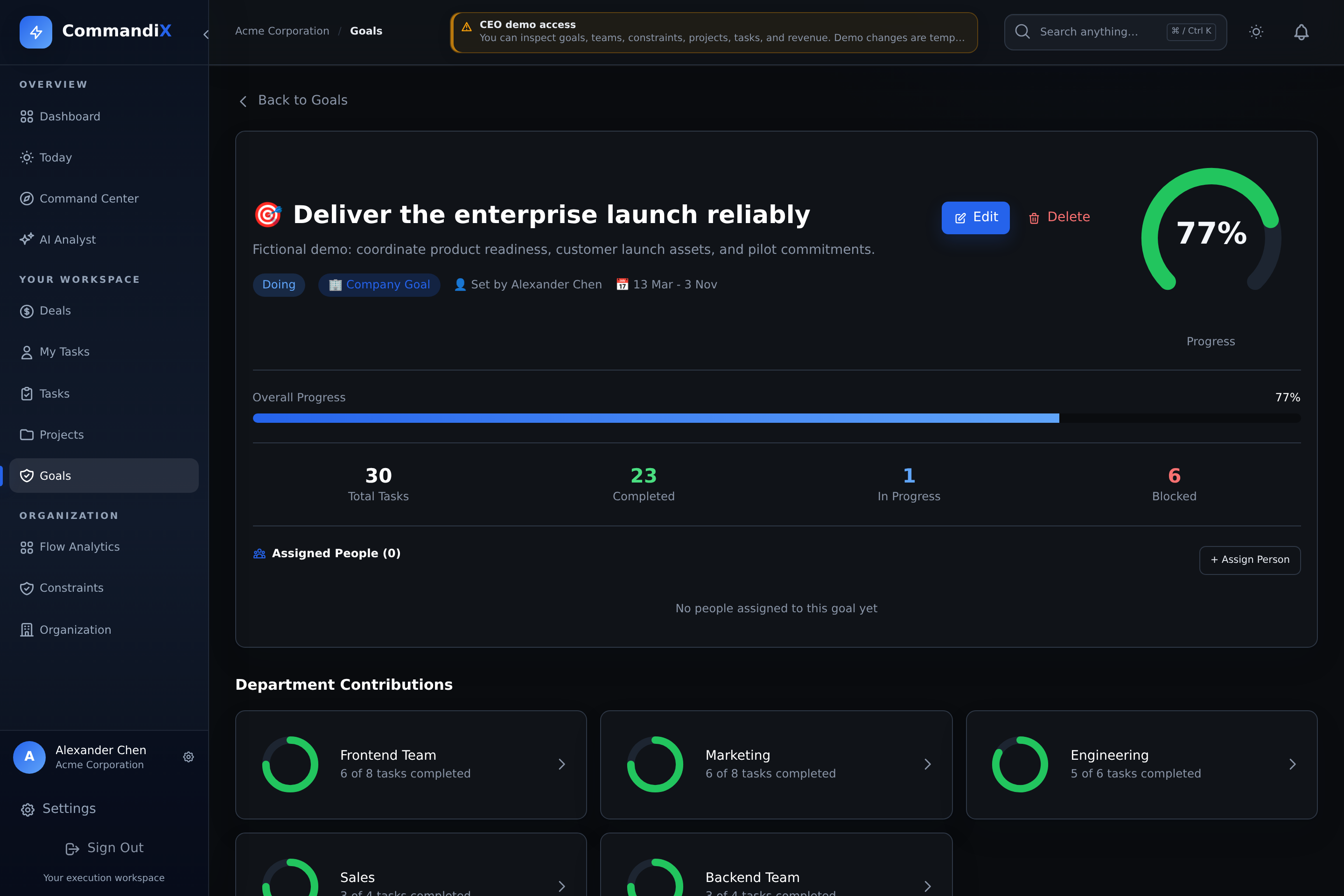
- Goal detail: weights Done tasks by their Goal Contribution relative to all linked task weights. When there are no linked tasks, it displays the stored goal progress.
- Stored progress recalculation: uses the average completion of contributing projects when present, then weighted assignments, then directly linked tasks as fallbacks.
These measures can differ. Inspect linked tasks, task weights, child goals, and project membership before comparing percentages. A completion percentage describes recorded work; it does not by itself demonstrate that the business outcome was achieved.
 Enlarge
Best practice goal structure
- Use 3 to 7 active company goals so leadership attention stays focused.
- Use assignments when departments share responsibility for one goal.
- Link projects when work requires coordinated delivery across many tasks.
- Use direct tasks when the goal is simple or individually owned.