 Commandix
Commandix guide
Units and People
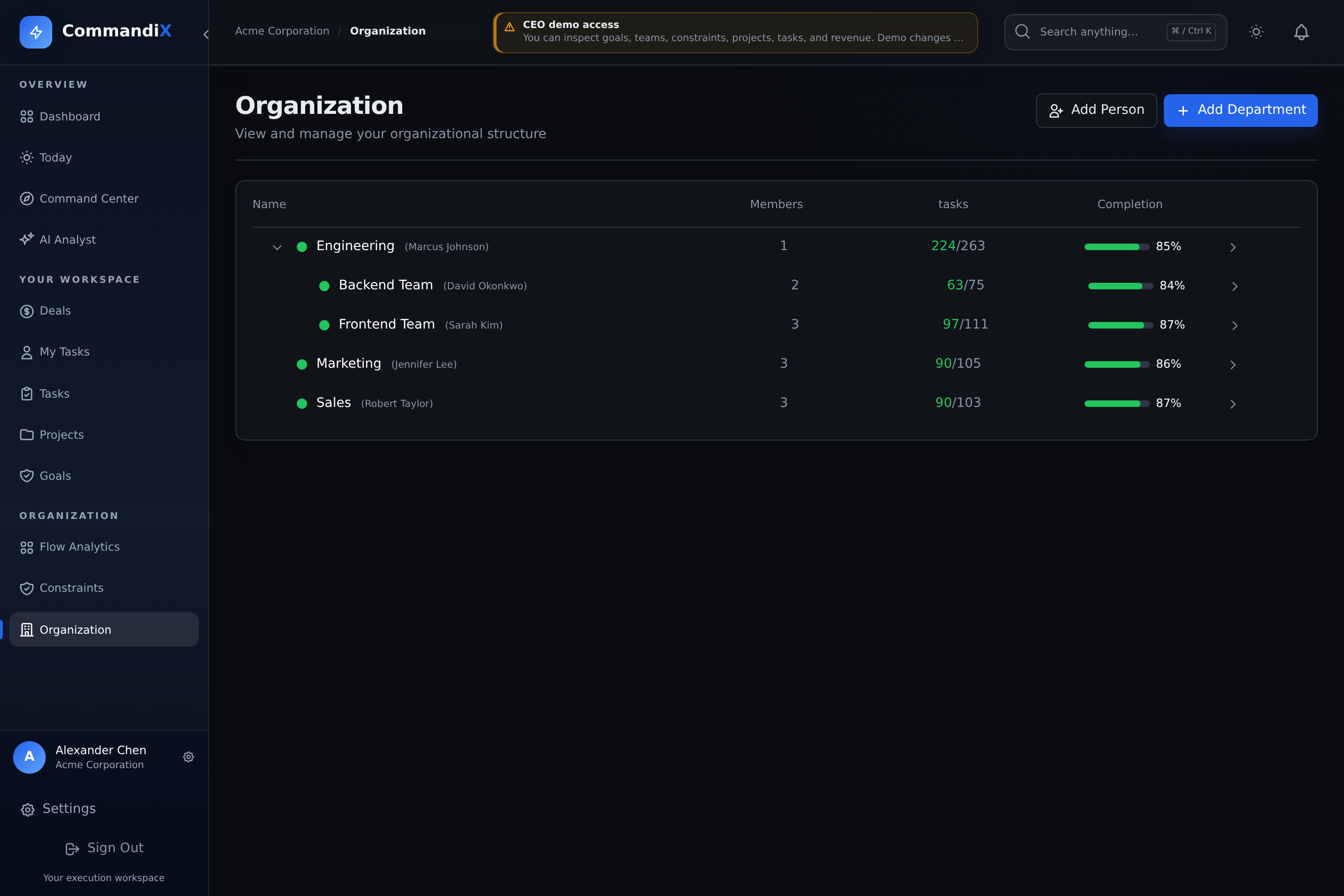
Open Organization to manage the company hierarchy, department heads, and team membership. Units define manager scope and connect people with team queues, goals, projects, and sales work.
Last reviewed September 19, 2026
View this screen in Commandix
 Enlarge
How to create a department or team
- Open Organization.
- Select add department at the root level or under an existing parent unit.
- Enter name and optional description.
- Search and add existing users as members if needed.
- Create the unit. It appears in the hierarchy and can receive tasks, projects, goals, and deals.
How to add a person to a unit
For an employee or external contractor who should accept their own invitation, use Settings -> Users -> Add people and select an initial team. The Organization page also has a direct account-creation workflow for authorized administrators:
- Open Organization and choose the target unit.
- Select add person.
- Enter name, email, and password or generated passphrase.
- Optionally set the person as department head.
- Create the user. They become part of the unit and can receive tasks.
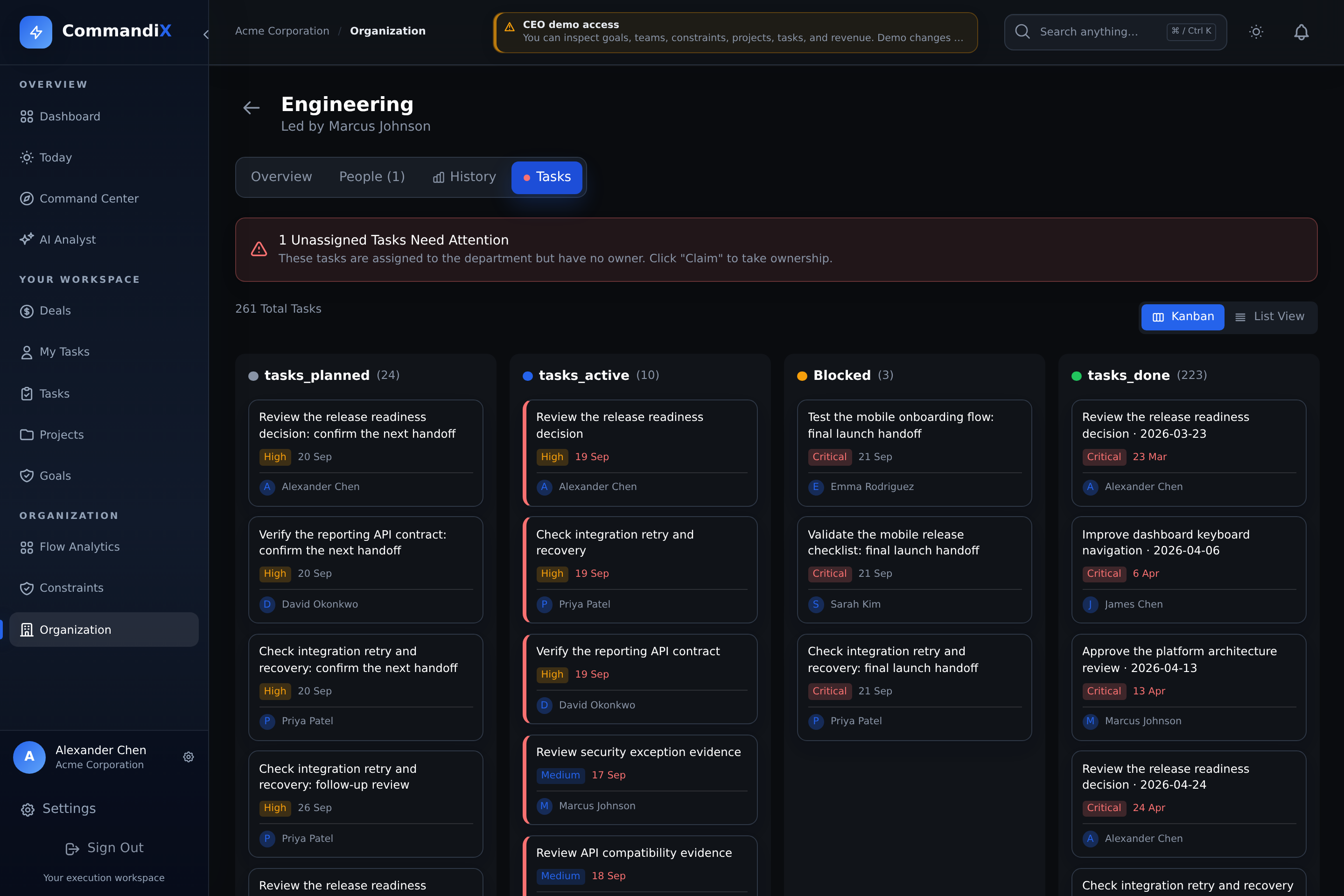
Unit detail tabs
 Enlarge
Overview
Summarizes unit completion, child units, active work, blocked work, and unassigned tasks.
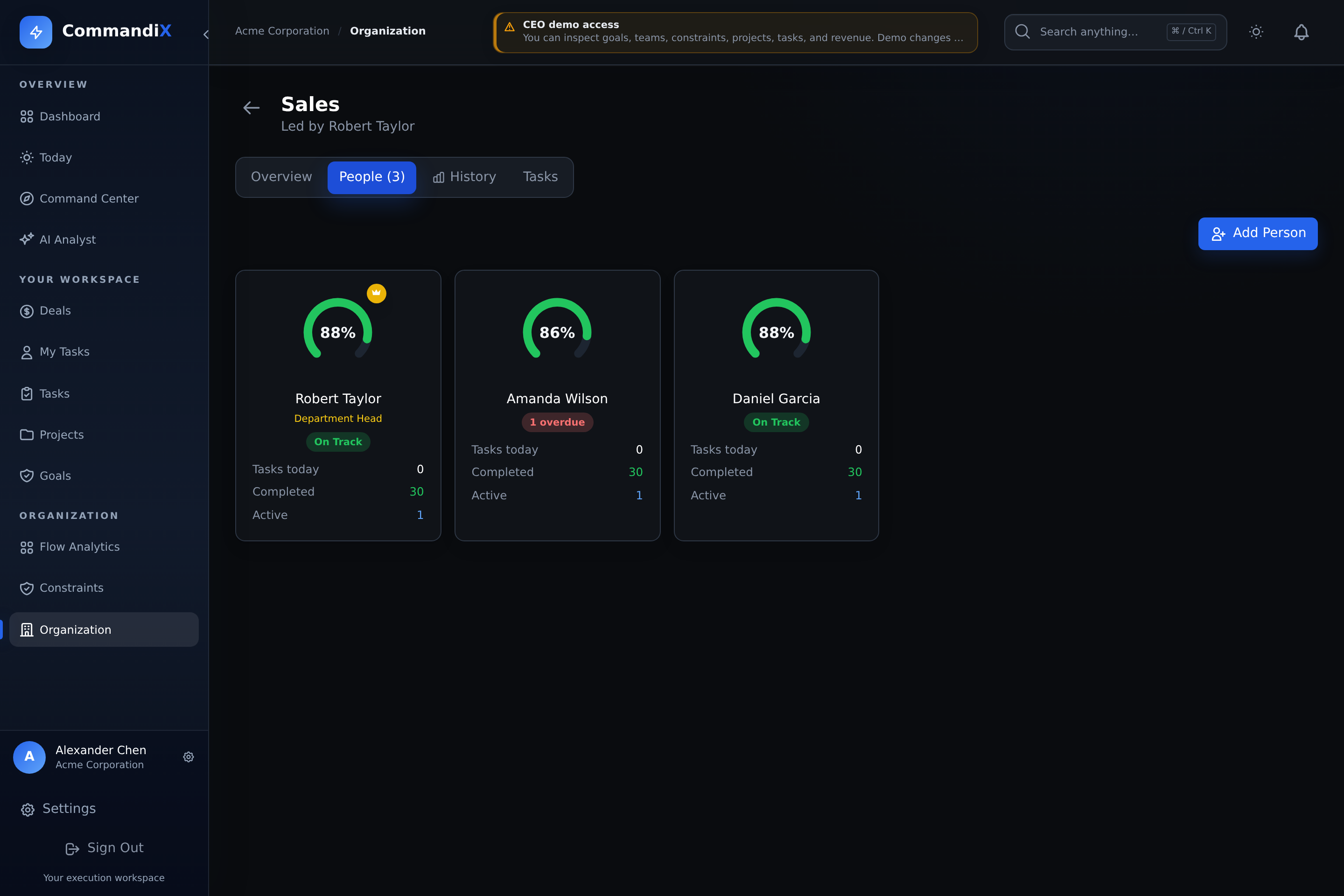
People
Shows team members with task completion and performance cards.
Tasks
Shows the unit task queue in kanban or list mode.
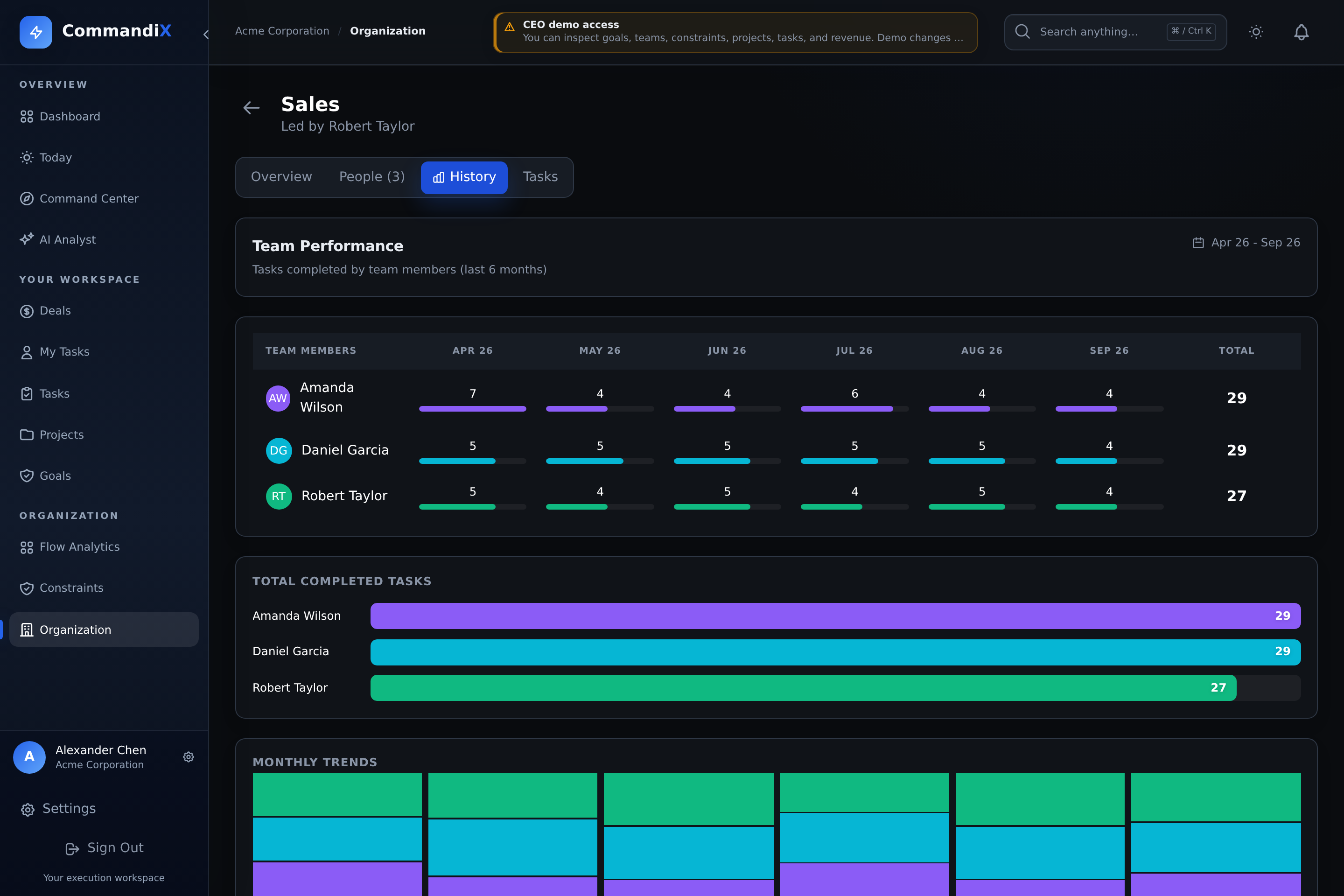
History
Shows six months of task completion by person and sales performance where applicable.
Compare workload and completed work
Compare like-for-like periods and responsibilities. Task counts, completion percentages, and sales values are starting points for a discussion about scope, capacity, dependencies, and missing records. They are not a standalone ranking of people's ability or effort.
- Open Organization.
- Select the department or sales unit you want to analyze.
- Switch to People to compare current completion and assigned work.
- Switch to History to compare six-month task completion by person.
- For sales units, compare won value and won count across team members.
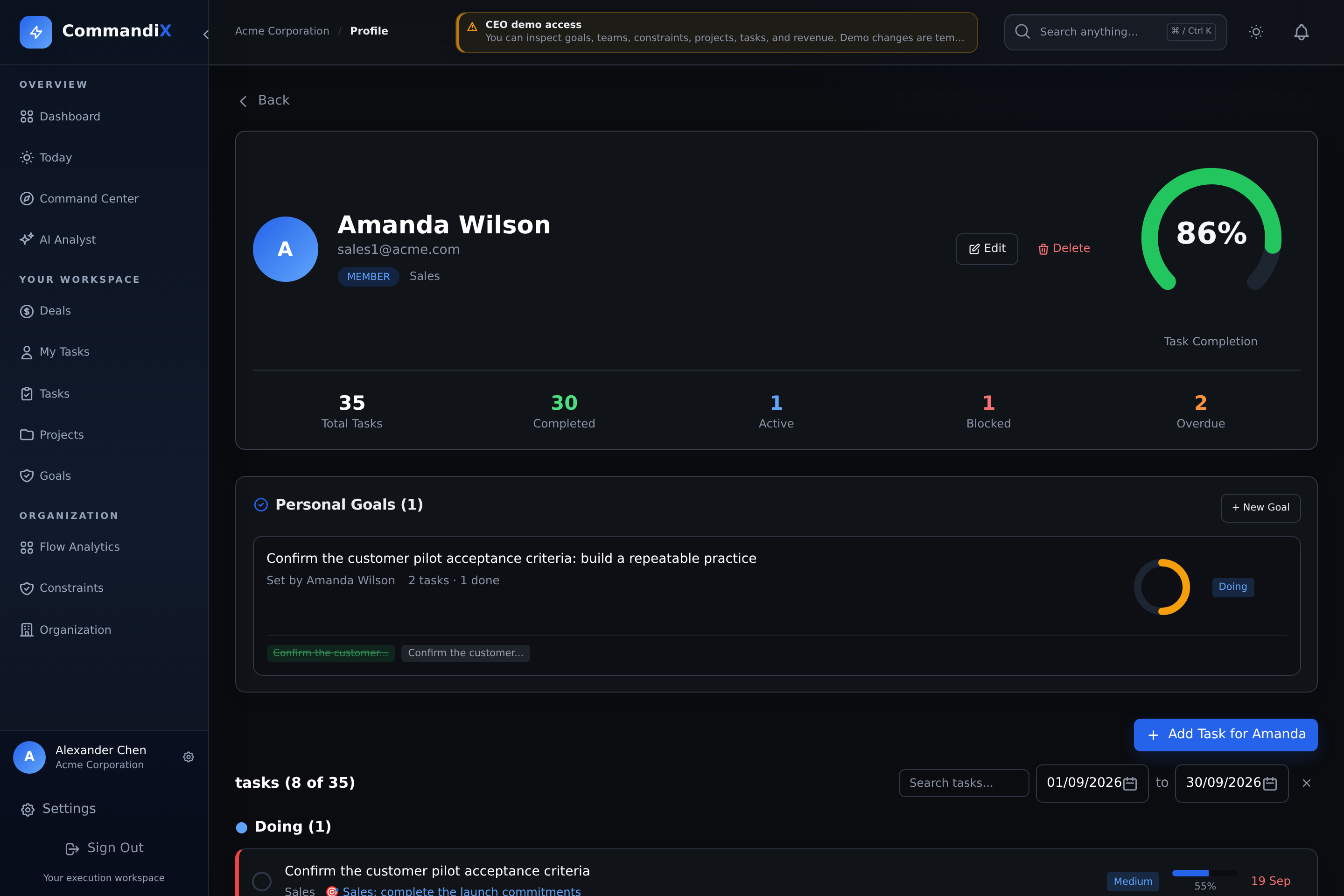
- Select a person to open the person detail page and inspect their tasks, goals, and contribution.
 Enlarge
 Enlarge
 Enlarge