 Commandix
Commandix guide
Integrations
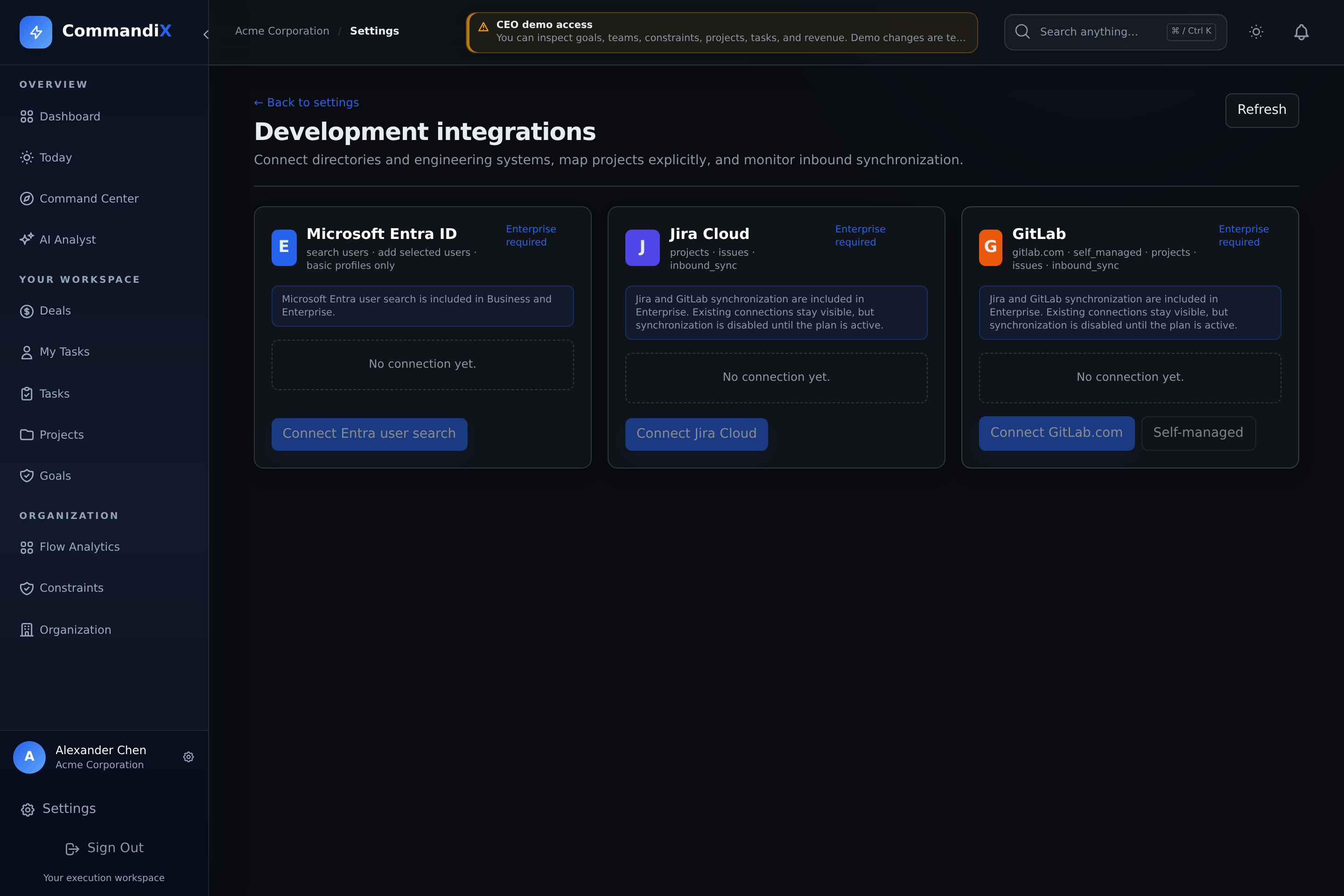
Use Microsoft Entra ID to find and add selected users. Tenant owners can connect Jira or GitLab, map only intended projects, and bring issue updates into Commandix.
Last reviewed September 19, 2026
View this screen in Commandix
 Enlarge
Open Settings -> Integrations, then the development-integrations screen. A provider shown in the interface is not necessarily configured or included in your organization's plan. Ask your administrator to check both before starting authorization.
Availability and access
- The provider card says Configured only when the deployment has the required provider credentials.
- A user with user-management access can use the Entra search-and-select picker without becoming an Owner.
- Jira and GitLab authorization, project mapping, synchronization, webhooks, pause, and disconnect remain Owner or Superadmin operations.
- Jira and GitLab require the development-system integration entitlement on your organization's plan. Server configuration alone does not enable a plan-restricted connection.
- A connection should not be treated as production-ready until authorization, project mapping, initial sync, webhook behavior, error handling, and disconnect retention have passed acceptance checks.
Add selected users from Microsoft Entra ID
- Open Settings -> Integrations.
- Select Search Entra / open integrations.
- If needed, select Connect Entra user search and complete Microsoft authorization.
- Select Search and add users.
- Search by name, email, or username. Enter at least two characters.
- Review the results. Commandix reads only display name, email, username, and Entra object ID for this picker. It does not request directory write access, account status, or group access.
- Tick the checkbox beside each person to add. Choose Member or Viewer.
- Select Add to Commandix. A matching Commandix user is linked; otherwise a user is created. Nothing is copied before you select and add it.
The picker is intentionally not a full-directory synchronization job. It searches Entra on demand and processes only the selected external user IDs. Users without a usable email or username cannot be selected.
Connect Jira Cloud
- Open Settings -> Integrations.
- Confirm the Jira card says Configured. If it says Needs server configuration, ask the deployment administrator to configure the Jira OAuth client first.
- Select Connect Jira Cloud, sign in to Atlassian, choose an accessible Jira site, and approve the requested read and webhook scopes.
- Select Map projects. For every accessible Jira project, choose Ignore this project, link an existing Commandix project, or create a Commandix project in a selected unit.
- Enable Sync issues only for the mappings intended for inbound synchronization, then save mappings.
- Select Sync now and inspect the run counts and any error before enabling a webhook.
- Select Webhook. Commandix registers Jira webhooks for the enabled mapped projects and shows the callback URL.
Jira is inbound: Jira issues become or update linked Commandix tasks for explicitly enabled project mappings. The connection uses the accessible Jira sites and projects of the authorizing account. Disconnecting with retention keeps imported tasks.
Your team can continue managing issues in Jira while you analyze imported work in Commandix. This is an inbound connection, not two-way task editing or an Atlassian Marketplace add-on. Keep Jira as the source for changes to imported issues, and review the imported work's dates, ownership, and dependencies before interpreting constraint results.
Connect GitLab.com or self-managed GitLab
- Open Settings -> Integrations.
- For GitLab.com, confirm the card says Configured, select Connect GitLab.com, and authorize the read-only API scope.
- For self-managed GitLab, select Self-managed, enter the HTTPS instance origin, OAuth application ID, and OAuth application secret, then authorize. Private hosts must be allowlisted by the deployment administrator.
- Select Map projects. Ignore each project, link it to an existing Commandix project, or create a project in a selected unit. Enable issue sync only where intended.
- Save mappings, select Sync now, and inspect the run result.
- Select Webhook, enter a signing token beginning with
whsec_or an approved legacy secret, then configure the returned URL in GitLab for issue, merge request, and pipeline events.
GitLab synchronization reads issues from explicitly mapped projects. Merge-request and pipeline webhook events can update linked operating context, but they do not turn Commandix into a source-code host. Self-managed instances must use HTTPS; URLs with credentials, paths, query strings, or fragments are rejected.
Operate and troubleshoot a connection
Sync now
Queues an inbound sync for enabled project mappings. Review discovered, created, updated, skipped, and failed counts.
Webhook
Adds event-driven updates after a successful initial sync. Jira registers enabled project webhooks; GitLab requires the returned callback URL and secret.
Pause
Stops automatic synchronization without deleting the connection or imported tasks.
Disconnect
Removes the provider connection. The current retain mode keeps imported Commandix tasks and their operating history.
If a provider shows Needs server configuration, if no accessible projects are returned, or if a webhook cannot be registered, contact the deployment administrator. Include the provider, time, connection name, mapped project, last error, and whether manual sync succeeds.