 Commandix
Commandix guide
Sales
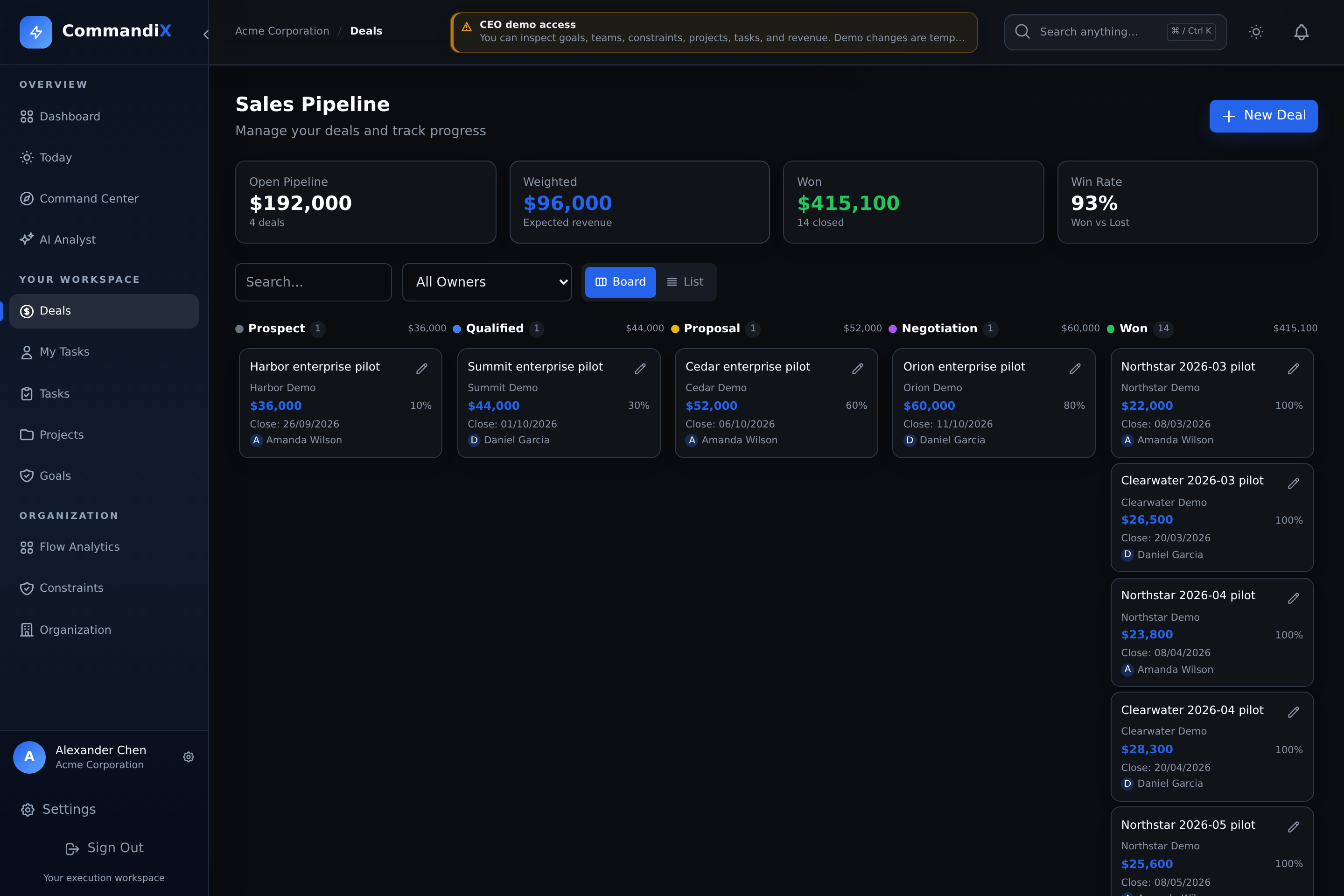
Sales turns opportunity work into an operating pipeline. Deals connect revenue, probability, close dates, contacts, sales owners, units, activities, and tasks.
Last reviewed September 19, 2026
View this screen in Commandix
 Enlarge
How to create a deal
- Open Deals.
- Select New Deal.
- Enter deal title, company, contact name, contact email, and contact phone if available.
- Choose the sales unit and assignee.
- Enter value, currency, probability, stage, expected close date, and description.
- Create the deal. It appears on the pipeline board and list view.
Deal options reference
| Option | Values | Use it when |
|---|---|---|
| Title | Required text | The opportunity needs a clear name. |
| Unit | Sales units | The deal belongs to a sales team or region. |
| Assignee | Sales users | A person owns the opportunity. |
| Value | Number | You need open value, weighted value, won value, and pipeline reporting. |
| Currency | Supported currencies | The deal is sold in a non-default currency. Pipeline totals convert to the tenant default where rates are available. |
| Probability | 0 to 100% | You need weighted pipeline value. |
| Stage | LEAD, QUALIFIED, PROPOSAL, NEGOTIATION, WON, LOST | You need visual pipeline flow and conversion tracking. |
| Expected close date | Date | You need forecast and deadline visibility. |
| Lost reason | Text, used for LOST stage | You want to learn why revenue was lost. |
| Activities | CALL, EMAIL, MEETING, NOTE | You need a history of seller activity and opportunity context. |
How to move a deal through the pipeline
- Drag a deal card to the next stage or open the deal and edit stage.
- Use the stage probability defaults as a baseline: Lead 10%, Qualified 25%, Proposal 50%, Negotiation 75%, Won 100%, Lost 0%.
- When moving to Lost, enter a lost reason.
- Add activities after calls, meetings, emails, and important notes.
Switch between Board and List to review the same accessible deals. Open a deal to inspect its activities and linked tasks. A probability-weighted pipeline total is an estimate of open opportunities, not booked revenue.
Review sales results with workload context
- Open the dashboard or Organization.
- Select the sales unit.
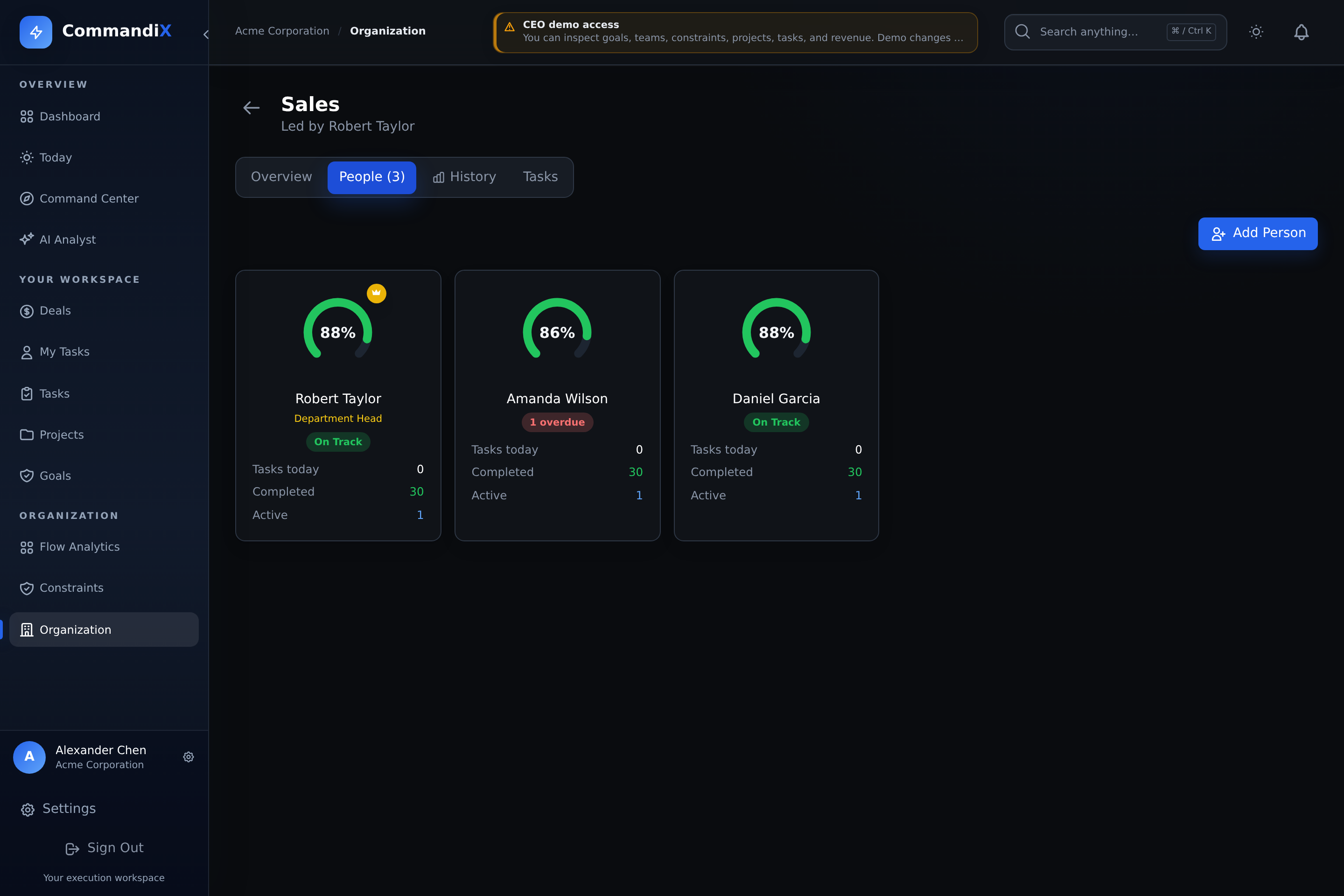
- Open People to compare current team performance.
- Open History to compare six-month won value and won count by seller.
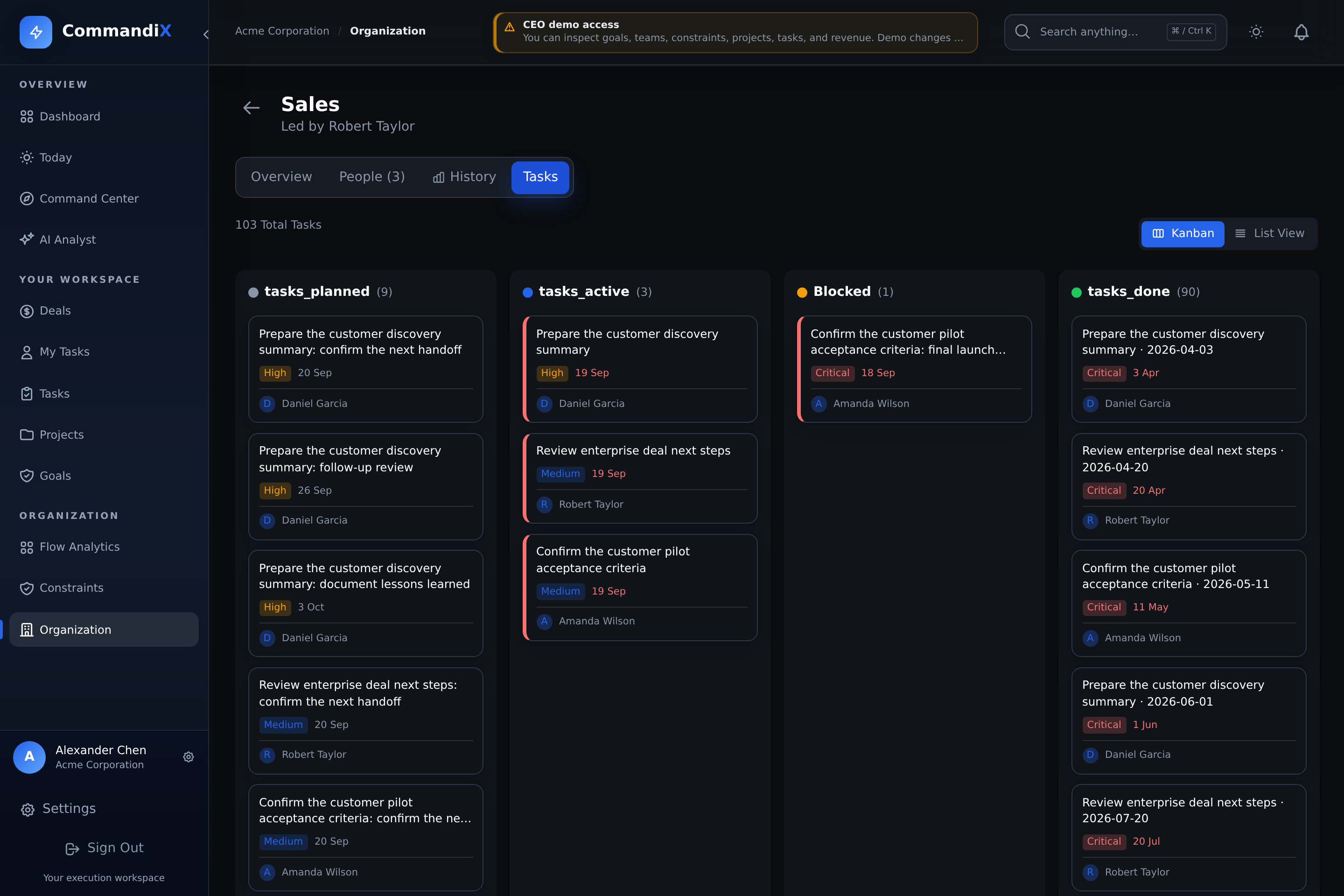
- Open Tasks to compare assigned work, overdue tasks, blockers, and dependencies. Use these signals to investigate possible causes with the team; task counts alone do not explain a person's sales results.
 Enlarge
 Enlarge